Tips On Getting Started As An Influencer On Youtube
- Demi

- Mar 30, 2020
- 3 min read
Updated: May 1, 2020
Youtube is the second largest search engine (after Google of course) so it would be an outstanding move to start marketing yourself on this platform. Youtube has been filled with influencers for over 10 years but it is never too late to start building a following. Today I will show you how to get started with your Youtube channel and provide some tips to boost attraction and engagement.

Setting Up Your Profile
To set up your channel’s profile you will need your basics – a cover photo, profile image, about and a channel trailer.
Ensure your cover photo for your channel art is simple and compelling – use a logo/your face and channel name that represents your content. Some channels also point out their upload schedules too in the cover photo to quickly inform their audience. For a banner sizing guide check out 'YouTube Banner Size & Channel Art Size Guide: 2020 Edition' article by David Coleman in my resource tab.



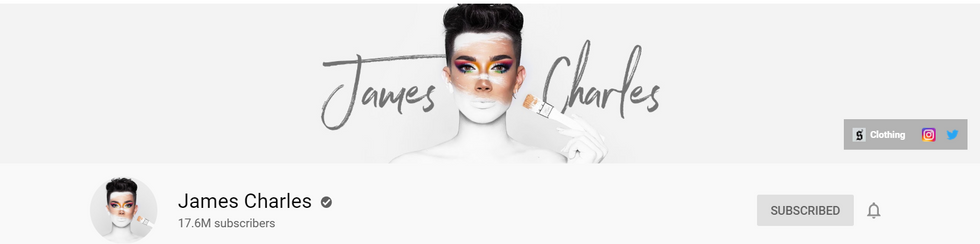



Your profile image should represent the brand and aesthetic you want to. Influencers tend to use their face as their profile picture as that is their brand. Ensure you keep this same aesthetic with the cover photo and all the thumbnails you upload by using the same colours and fonts – remember that making a channel is like making a product! You need consistent branding!
Now you need to create an about me, again, keep it simple and short. The first 48 characters in the ‘about’ section is what shows up in Youtube search results so ensure you plug in some keywords that embodies your channel.
Lastly you will need a channel trailer to let your viewers know what they will be expecting from your content, keep it short, almost like an advertisement. Most channels choose to not create this till they have already created content to base their trailer off.
Uploading Videos
Alright so you have your profile looking amazing, but you need content now to upload! When uploading a video, ensure that you create clear titles that are 60 characters or less as that is then the title will start to cut off.
Your description is also a handy tool for search engine optimisation because the first 100 characters are used to filter results. The description box also initially shows 2-3 lines of writing before it asks you to show more so you need to have keywords disrupted well in the sentences.

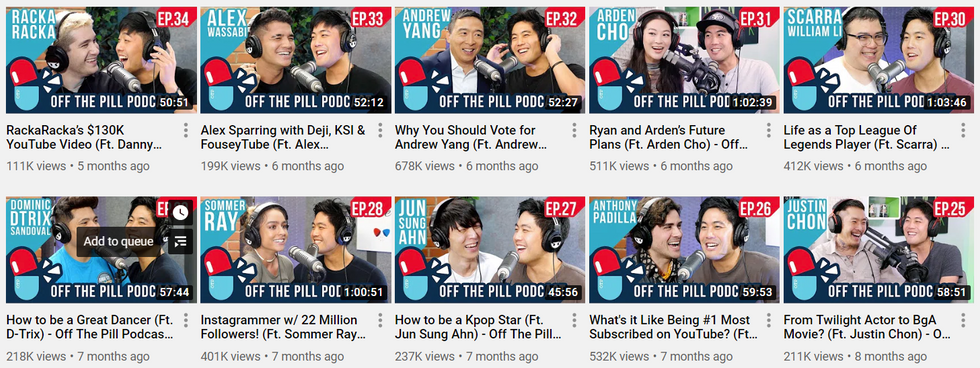
Before we go over thumbnails you must know that to customise your thumbnail you need to have a verified account; visit www.youtube.com/verify to organise that. Thumbnails need to be consistent and high quality (stick to 1280x720 resolution) and have thumbnails that are eye-catching and show your face, so people know it’s your video before even reading the title and channel name. We recommend to keep the same font, colour and styles for consistency so your viewers can easily identify your content.



An additional feature to consider when uploading your videos is uploading subtitles/closed captions to optimise your videos in search results. Videos can be transcribed through online methods such as otter.com and will need to be uploaded as .srt files when uploading your video. Another option to broaden your audience and search engine optimisation is translating your content, although it may not always be accurate it can still help non-native speakers to watch your content.
Hopefully I provided you on some insights on starting your channel as an influencer, I'll be continuing to post further about Youtube marketing to grow your audience, so subscribe to be alerted!
Talk soon,
Demi


I've always been really interested in Youtube - really appreciate this nifty guide!